voice → set · hands-free gym log
Say it.
It's logged.
Log every set by voice through your iPhone, Apple Watch or Ray-Ban Meta glasses. Your phone stays in your pocket. Your music keeps playing.
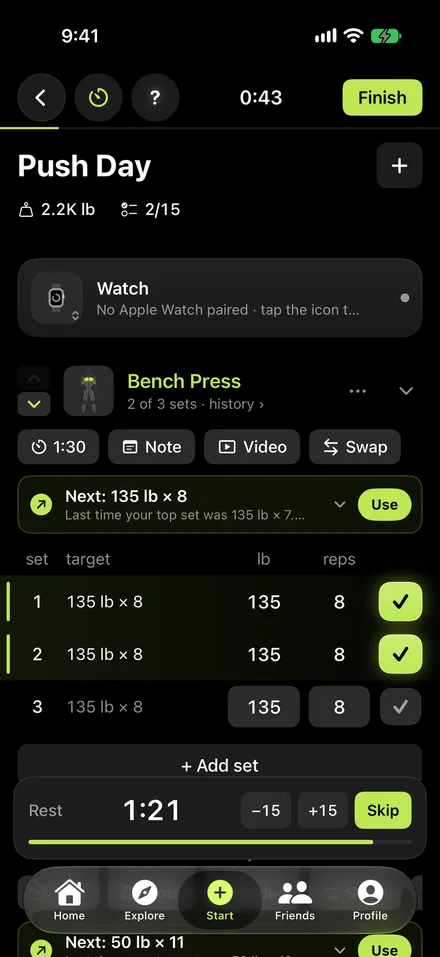
heard “log bench 135 for 8”
parsed Bench Press 135 lb × 8
logged set 1 ✓ · rest 1:30 started
Free beta via Apple TestFlight. On Android? Get notified.
// how it works
Three steps. Zero taps between sets.
Start a workout
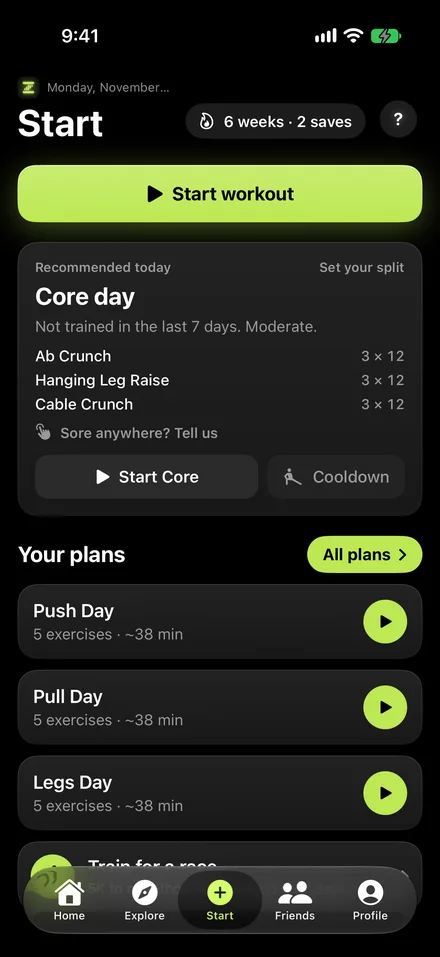
Empty, from a plan, or today's recommended session.
Lift, then talk
“log squat 225 for 5”. The set fills in, the rest timer starts.
Fix it out loud
Misheard? “no, make it 55”. Done.
// built for the gym floor
Everything a training log needs. Nothing in your hands.
01
Voice logging
Finish a set, say it, keep training. Exercise, weight and reps in one sentence, 300+ exercises, gym slang included.
02
Fix it by talking
“No, make it 55.” “That was chest press.” “Undo.” Corrections change the last set instead of adding a new one.
03
Three mics
iPhone in your pocket (default), Apple Watch on your wrist, or Ray-Ban Meta glasses. Music never ducks.
04
Smart progression
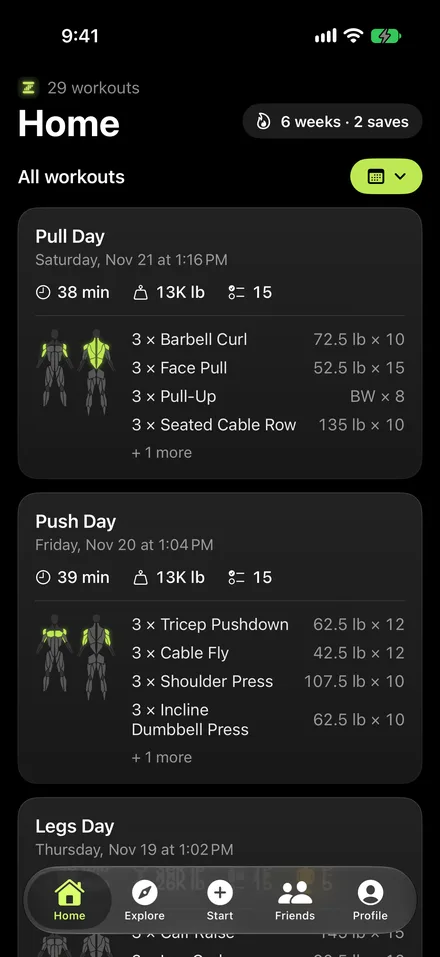
Plans pre-fill every set from your history. Hit the top of your rep range and the next weight is waiting.
05
PRs, live
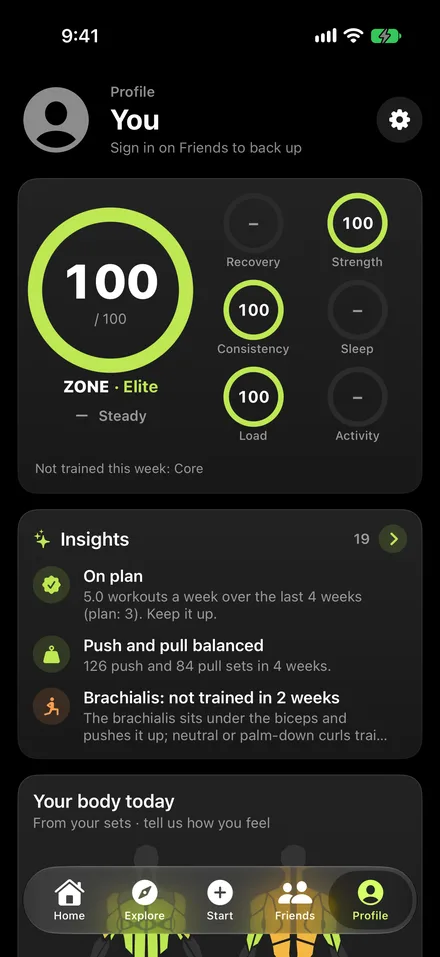
Estimated 1RM per exercise. A heavy set gets a spoken “New PR!”. Warm-ups never count.
06
Runs, race plans, flyover
GPS runs with splits and a pace chart, 5K to marathon plans built around your week, and a 3D flyover of every route.
07
Hyrox-ready
Row, SkiErg, sled, burpee broad jumps, sandbag lunges: logged as time + metres. Wall balls as reps.
08
Lock screen + widgets
Live Activity with “Set 2 of 3”, rest countdown and ✓ Done. Widgets and Watch complications.
09
Friends + leaderboard
Add friends with a 4-character code, copy their plans, fight for the weekly top spot.
// spec sheet
Engineered for loud gyms.
Short phrases, a command-word gate and spoken corrections. Everything else you say is ignored, and your audio is never saved or sent to us.
// inside the app
Dark, fast, one-handed.
// get it
Free on iPhone. Right now.
The beta runs on Apple's TestFlight: install TestFlight, tap the invite, done. Everything is unlocked during the beta.
You're in.
Check your inbox for the beta link (Android: we'll email you at launch). Send this page to your gym partner.
// faq
Questions
Is Zone Mode free?
Yes. The iPhone beta is free, with everything unlocked.
How do I get the beta?
Tap “Get the free iPhone beta”. It opens TestFlight, Apple's app for beta apps. Install TestFlight, accept the invite, then install Zone Mode. Beta builds expire after 90 days; TestFlight offers the update when a new one is out.
Which phones work?
iPhone. Apple Watch and Ray-Ban Meta glasses are optional microphones. Android isn't available yet: leave your email and pick Android to hear first.
Do I need smart glasses?
No. The default mic is your iPhone's. It keeps listening with the phone in your pocket while a workout is running. Apple Watch and Ray-Ban Meta glasses are optional.
Does it pause or duck my music?
No. Your music keeps playing at full volume. Zone Mode doesn't use Siri or “Hey Meta” to log.
Is it recording me all workout?
No. Speech is turned into text by Apple's recognizer, on your iPhone where available. Zone Mode only keeps the words that come after a command word like “log”, “undo” or “make it”. Everything else is dropped, and audio is never saved or sent to us.